Just finished a job and need to hand over a receipt? This free plumber receipt template lets you add your logo, itemize labor and parts, apply tax, then download a clean PDF or PNG, or print it directly. There’s no sign-up, no account and nothing to install.
It’s made for plumbers, plumbing companies and home service contractors who want a proper service record without wrestling a spreadsheet at the end of a long day. Fill in the form, check the numbers, and your customer has digital proof of payment in seconds.
Start with the form above and create your plumber receipt now.
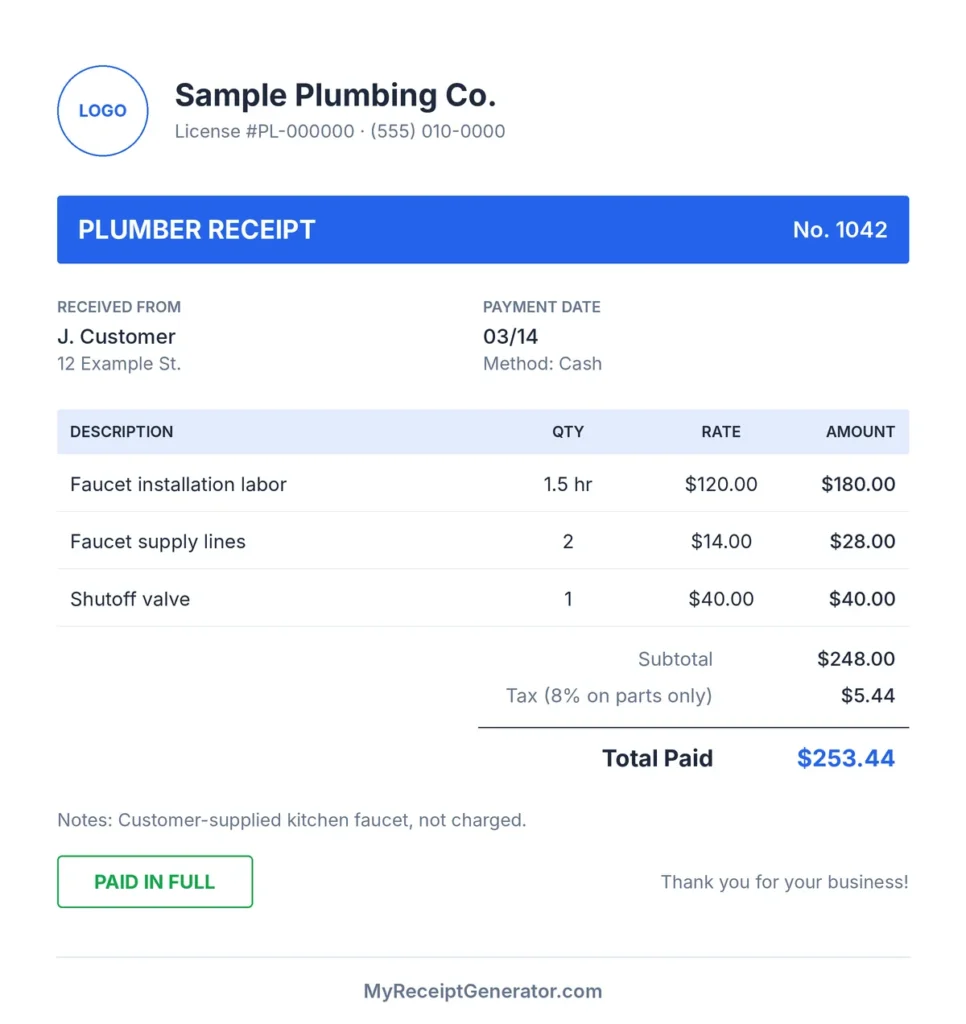
How Do You Create a Plumber Receipt?
You can make a plumber receipt here in five quick steps, often before you’ve finished packing up your tools.
- Business details: add your company name, contact details and license number, then upload your logo. A GIF or PNG under 1MB keeps things quick and prints sharp.
- Billing details: enter the customer’s name, then add the service address if the job wasn’t at their mailing address. List the two separately so there’s no confusion later.
- Receipt number and payment date: match the number to your estimate, invoice reference or the service call it came from, so your paperwork lines up.
- Line items: give each piece of work its own line with a description, quantity and rate. Keep labor hours apart from pipe fittings and other materials.
- Tax, discount and payment method: fill these in, glance over the total, then download your receipt or print it.
Spotted a typo? Fix the field and download again. You don’t need a Drag & Drop Builder or a Real-time Preview panel for a receipt this simple. A quick preview of the service details on the finished page before you send it catches most mistakes.
What Do You Get With This Plumber Receipt Generator?
You get a customizable, branded plumber receipt with tax/VAT handled for you, multi-currency support and a print-ready PDF and PNG downloads with direct printing, all for free.
The standard template is set up for plumbing work, so the preset fields already cover what customers usually ask about: warranty information, payment terms and a Notes box for the fixture you worked on. Add your logo once and every receipt looks professional.
The tool automatically totals your lines, so the subtotal, tax and final figure always add up. That alone fixes the most common problem I’ve seen on handwritten receipts: math that doesn’t quite work.
Billing in USD? Fine. Working with CAD or other currencies? Switch the currency and carry on. Plenty of receipt software offers a 14-day free trial with no credit card, then charges $12.99/month once you upgrade. Here, you just make your receipt.
What Should a Plumber Receipt Include?
A plumber receipt should include your business details, the customer’s details, a receipt number, the service date, every charge on its own line, tax, and the amount paid with the payment method.
Write the word “receipt” prominently at the top so nobody mixes it up with an invoice. Then let the lines tell the story. A specific work description (“replaced corroded angle stop under the bathroom sink”) heads off questions that a vague “valve repair” would invite.
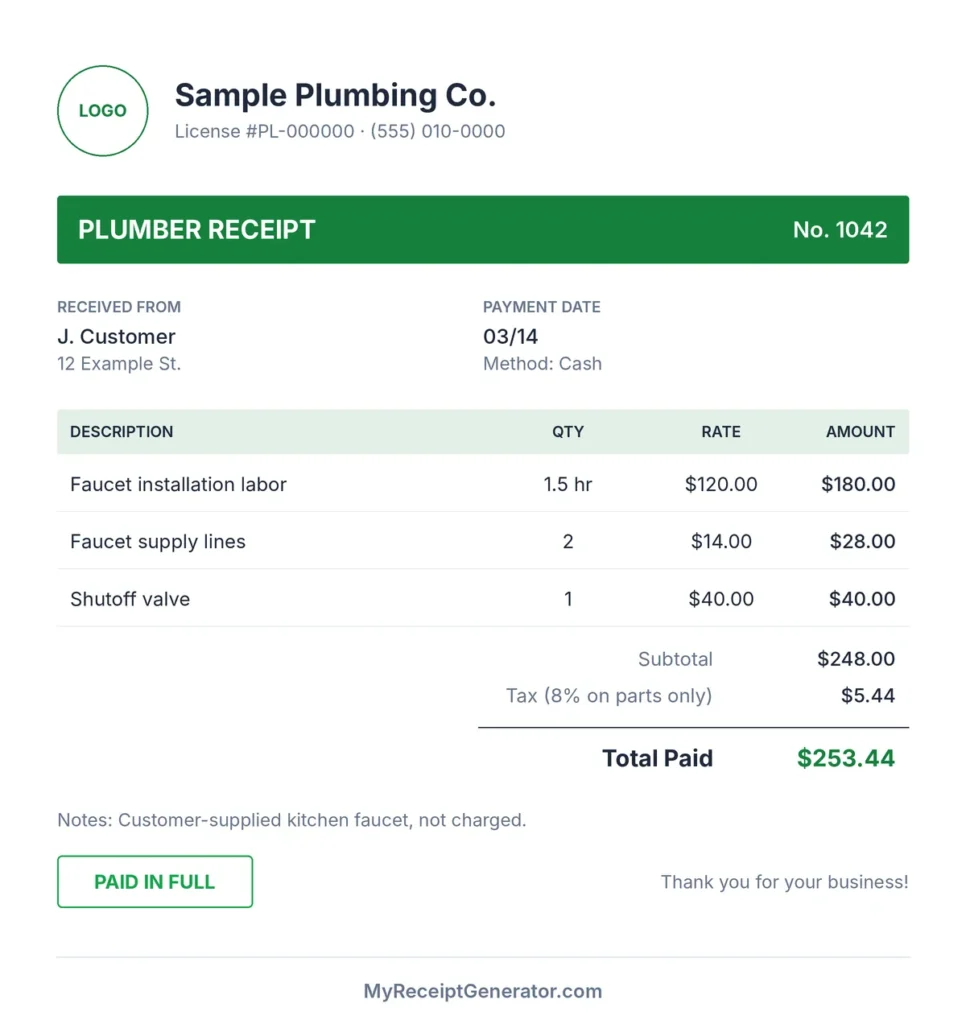
Here’s how a fictional faucet install breaks down on a finished receipt:
| Receipt line | What goes here | In the sample job |
| Installation labor | Hours on site × your rate | 1.5 hours of labor |
| Materials | Each part you supplied | New supply lines and a shutoff valve |
| Customer’s own items | Mentioned in notes, never charged | A customer-supplied kitchen faucet, so no faucet charge |
| Tax | Rate on taxable lines only | 8% tax on parts only |
| Payment | Amount and method | $253.44 paid in cash |
Round it off with tips if the customer added one, and a short thank-you message. It’s a small touch, but people remember the plumber who said thanks in writing.
How Should You Handle Partial Payments, Deposits and Service Calls?
Write a receipt for every payment you actually receive, and make it obvious what is still owed.
A receipt reflects the amount paid, not the work completed or the work you quoted. If you took a deposit before starting, label it as a deposit. When a partial payment comes in, show the open balance so nobody thinks the job is settled. Save Paid in full for the day the bill actually reaches zero.
For jobs paid in installments, record each payment against the same invoice and keep your earlier receipts. Enter the new payment amount exactly as the amount received that day. The last receipt should show a zero balance, which confirms the account is closed and nothing is left unpaid.
Service visits need their own care. A service-call charge paid at the door covers that visit only, so keep the scope tight and don’t let it hint that a later repair is included. Recommended repairs belong on an estimate. In my experience, service calls and labor charges for the fix often get paid weeks apart, and two receipts keep them clean. Leaving off the faucet charge for a customer’s own fixture also avoids overstating the bill.
Dates trip people up too. The receipt date is the day the money arrived. It matches the repair date only if the customer paid on the same day. Sending later doesn’t change that, but sending right after payment means you won’t forget.
Who Uses This Plumber Receipt Generator?
Plumbers use it to close out jobs fast, and their customers use the receipts for records, claims and taxes.
Whether you’re clearing a drain, installing a faucet or replacing a water heater, the receipt captures the job details and the transaction in one written record. If a dispute comes up months later, you’ve got the dates, the work and the products right there.
On the customer side, a landlord matches receipts to each property for expense reports, tax documentation and budget tracking. Tenants who pay upfront use them for reimbursements, and homeowners keep them as proof of purchase. If you also do client invoicing, the receipt finishes the paper trail your invoice started.
The same layout works across trades. Crews in HVAC, Roofing, Electrician work, Pest Control and Handyman services rely on similar repair receipt templates, so the format will feel familiar to anyone in the field.
How Do You Send, Print and Store Your Plumber Receipt?
Download the receipt as a PDF or PNG, or print it straight from the page, send it however your customer prefers, and file your own copy right away.
Ask about their preferred method. Most people like a PDF by email, some want a printed copy on the spot, and a few still prefer it by mail. Use white paper for customer copies and your own records. If you print on thermal rolls in the field service van, keep the logo simple, because fine detail tends to blur.
Need an image instead? Download it as a PNG for high-quality images that stay sharp on any screen. If you need a smaller file to text, a compressed JPEG copy of that PNG does the job. Before-and-after photos are worth keeping as image files too. Some systems let attachments up to 5 MB accompany a receipt. If yours doesn’t, save them in the job folder on your computer, watching the file size of each JPG.

Bigger shops that track work order codes sometimes add a barcode or QR link pointing to their job system, which makes warranty claims quicker to look up. To export your records for an accountant, keep them organized by year, then by customer or project.
Frequently Asked Questions
Is this plumber receipt generator really free?
Yes, you can create and download plumber receipts here for free, with no account needed.
Many tools hold back watermark-free downloads or saved receipts for a paid Pro tier. This one is built so you can make a receipt from scratch, download it and get back to work.
What’s the difference between a receipt and an invoice?
An invoice asks the customer to pay, while a receipt proves they already did.
An invoice, whether it’s a formal document or a simple editable PDF, requests payment and shows a payment due date. Once the money lands, the receipt is marked as paid and lets you close out the job. Some invoicing software can automate that switch, but for one-off jobs, a quick receipt from this generator does the same thing.
What should I put in the notes section?
Use the notes section for anything the charge lines can’t explain, such as the fixture, the job address, the related invoice and the visit date.
A note like “kitchen sink, Unit 4B, paid by tenant” turns a simple payment slip into a full record. Add warranties here too, so customers know what’s covered. A solid notes habit saves time and money across a whole year of jobs, because you stop chasing details by phone.
How should I file plumbing receipts?
File each receipt as soon as the payment clears, and keep receipts in the same order your bank statements follow.
Run payments through a business bank account so year-end reconciliation is a matching exercise, not a hunt. Follow your local storage rules for keeping original and digital copies. When receipts are past their retention date, shred them to protect customer data.
How long should I keep plumbing receipts?
Plumbing receipts are usually kept for 3 to 6 years after the tax year of the transaction, depending on your country.
| Country | How long to keep | When the clock starts |
| U.S. | Three years | Date you filed that year’s taxes |
| Canada | Six years | End of the relevant tax year |
| UK | Five years | The tax year’s submission deadline |
| Australia | Five years | Date you filed your return |
Treat this as a general guide, not tax advice, and check the rules with your accountant.
For the official rules, see the IRS guide on how long to keep business records and the Canada Revenue Agency’s page on where and how long to keep your records.