Need an expense receipt or bill for a real transaction? Build it here in a few minutes. Choose a style, upload your logo, add a barcode, and print it directly or download it as a PNG, PDF, or JPEG. There’s no sign-up, and your exports have no watermark.
Use this tool to document transactions that actually happened: your own sales, reissued records, templates, and internal paperwork. A receipt or bill you generate is a record you create, not proof from a vendor. Never use it to invent a purchase.
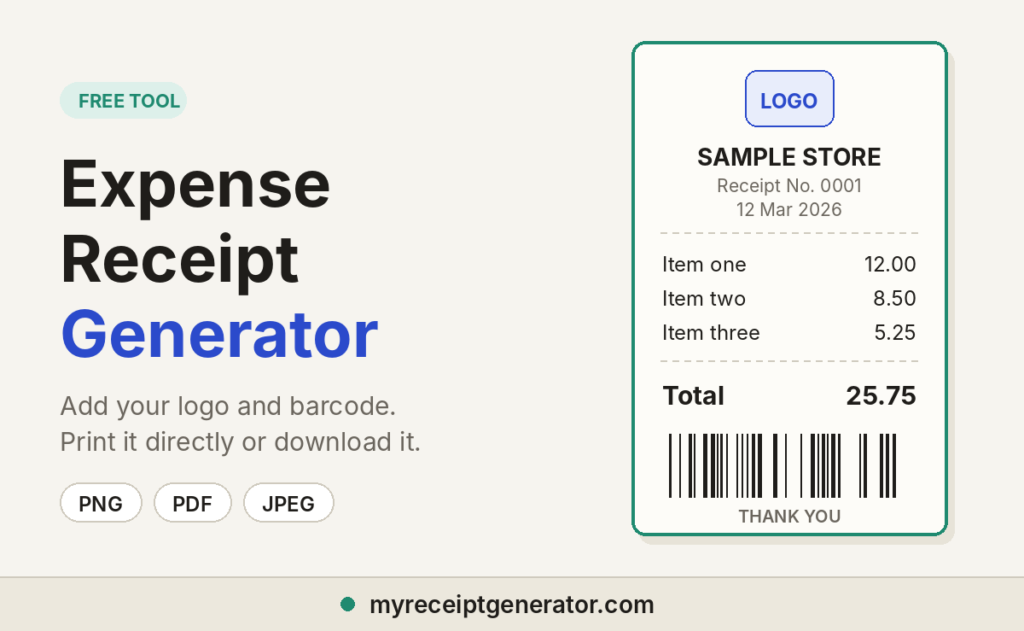
What You Can Do With This Receipt Maker
Whether you call it a receipt, a bill, or a payment slip, the tool works the same way.
- Upload your logo. Add your business logo so every receipt matches your brand.
- Add a barcode. Put a scannable barcode on the slip for a real point-of-sale look.
- Print directly. Send the receipt or bill to your printer from the page. No export step needed.
- Download in 3 formats. PNG for a sharp image, PDF for a print-ready file, JPEG for a smaller file you can share fast.
- Pick from 14 styles. Switch styles and your details stay in place.
- No watermark, no sign-up. Build, print, and download without an account.
- Save receipts. Pro options let you store and reuse them.
Choose a Receipt or Bill Style
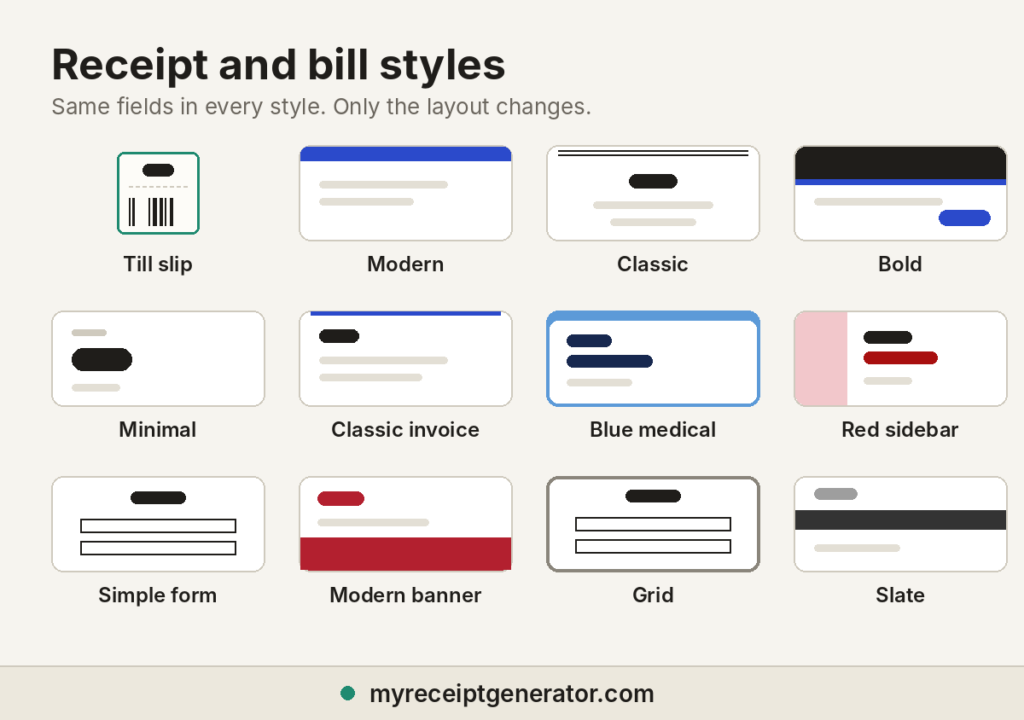
Every style carries the same fields. Want more layouts? Browse all receipt templates. Only the layout changes.
- Till slip: The narrow register look with a barcode. Suits retail and cafe POS receipts, and cash bills.
- Modern: Clean layout with a blue header bar. A safe default for a customer bill or sales receipt.
- Classic: Centered header with a framed border. Works for formal payment records.
- Bold: Dark header with a strong accent. Best when your brand needs to stand out.
- Minimal: Lots of white space. Good for freelancers and quick records.
- Classic invoice: Invoice-style layout with a blue top line. Suits service work with several line items.
- Blue medical: Soft blue frame with navy text. Fits clinic, pharmacy, and wellness bills.
- Red sidebar: Colored side panel with a bold title. Gives a designed, branded look.
- Simple form: Boxed fields that read like a form. Easy to scan and print.
- Modern banner: Colored footer band. Good for shops and online sellers.
- Grid: Every row sits in a box. Best for itemized bills where clarity matters most.
- Slate: Grey band header with a neutral tone. Works for consulting and office use.
- [Style 13 name]: [One line on when to use it]
- [Style 14 name]: [One line on when to use it]
How to Make an Expense Receipt or Bill
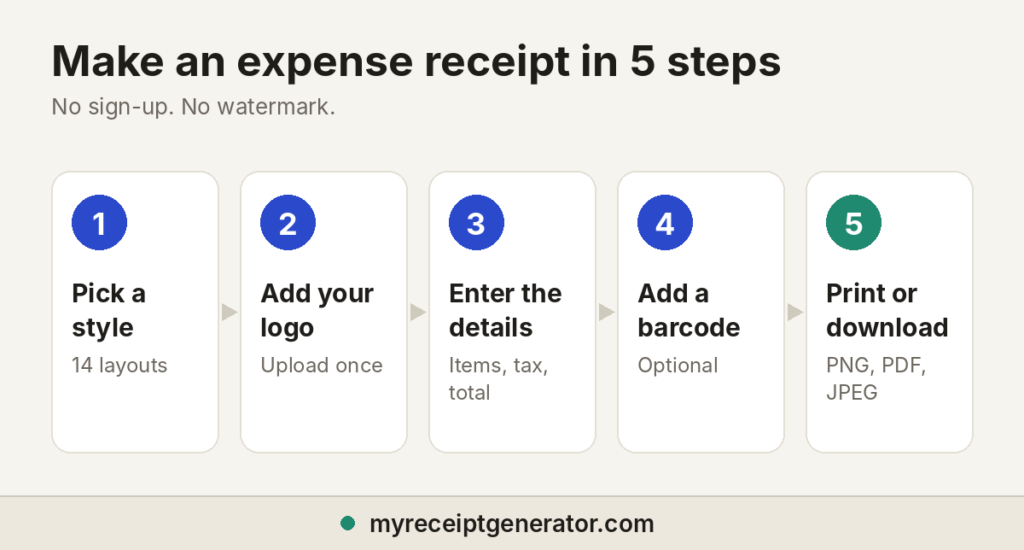
- Pick a style. Choose the layout that matches your use.
- Upload your logo. Add it once and it appears in the header.
- Add business details. Enter the business name, address, phone number, and receipt or bill number.
- Enter the transaction. Add the date, line items, quantities, prices, tax, and payment method.
- Add a barcode. Turn it on if you want one on the slip.
- Check the totals. Confirm the subtotal, tax, and total amount before you export.
- Print or download. Print it directly, or save it as PNG, PDF, or JPEG.
Receipt vs. Bill vs. Invoice: What’s the Difference?
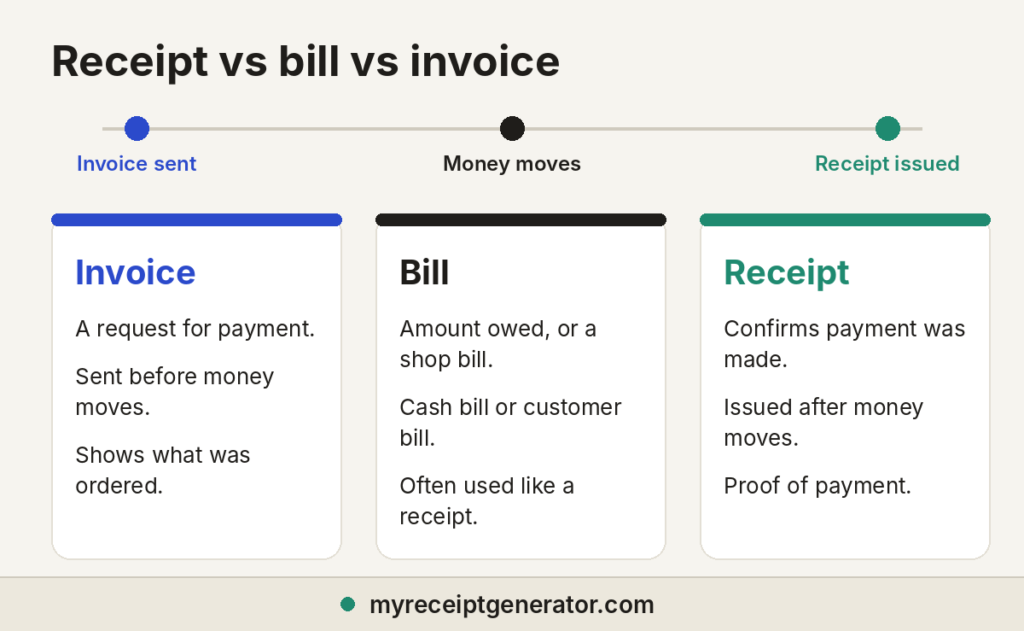
People search for all three, and they aren’t the same document.
- Receipt: Confirms payment was made. It is proof of payment.
- Bill: In everyday use, often the same as a receipt, such as a shop bill or cash bill. It can also mean an amount still owed.
- Invoice: A formal request for payment sent before money moves. Need one? Use our invoice templates.
A receipt proves payment. It does not prove the expense was worth it, and it does not prove the expense was business related. Mixing these documents causes errors, so label each one correctly. For reimbursement and tax records, the document that matters is the one showing payment was completed. Keep the invoice too, because it shows what was ordered.
What a Good Receipt or Bill Should Include
- Business name and logo
- Receipt or bill number
- Transaction date
- Itemized line items with quantity and price
- Subtotal, tax (check it with the sales tax calculator), and total amount paid
- Payment method
- Customer name, where it applies
- Business purpose, for expense claims
The IRS looks for the amount, date, place, and business purpose on business expenses, as the federal substantiation rules describe. Itemized lines help, but they aren’t the rule. For client meals, add who attended and the reason for the meeting. Business meals are generally 50% deductible.
When to Use a Generated Receipt or Bill
- Your own sales. You run a small business and need to give a customer a clean record of payment.
- A replacement record. A vendor can’t reissue a receipt, so you document the purchase with a signed note and your bank statement beside it.
- Templates and training. You’re building a sample for your team or a client.
- Internal bookkeeping. You need a tidy record for a cash payment that came without a slip.
A receipt you generate does not replace the vendor’s original when the original exists. Recover that first.
Frequently Asked Questions
Is the expense receipt generator free to use?
Yes. You can build and customize a receipt or bill with no sign-up, then print it or download it without a watermark. Saved receipts and Pro options are there if you want more.
Can I add my logo to the receipt?
Yes. Upload your business logo and it appears in the header of any style.
Can I add a barcode to my receipt?
Yes. Turn on the barcode option and it prints on the slip. The Till slip style is built around it.
Can I print the receipt directly?
Yes. Use the print button to send it to your printer. You can also download a PDF first.
What file formats can I export?
PNG gives you a high-quality image. PDF gives you a print-ready document. JPEG gives you a smaller file that’s easy to share.
Is a bill the same as a receipt?
Often, yes. A shop bill or cash bill is a receipt that confirms payment. A bill can also mean an amount still owed, which is closer to an invoice. The tool covers both layouts.
Can I use a generated receipt for an IRS audit?
No, not as proof of a purchase. The IRS looks for records that show real payments, so use your original receipt, a vendor reissue, or bank records. A receipt you create documents your own transaction, such as a sale you made.
Can I use a photo of a receipt instead of the original paper?
Yes. The IRS accepts legible electronic images that clearly show the date, vendor, and amount. Keep the file safe, along with any matching records.
Do I need to keep receipts for expenses under $75?
Usually not, according to the IRS, except for lodging. You still need a record of the amount, date, place, and business purpose. Your company may require receipts anyway.
What happens in an IRS audit if I don’t have receipts?
Auditors may accept bank records and a written explanation. Without receipts, expect tougher questions on every claim. Travel and gift expenses face the strictest rules, and reasonable estimates generally won’t save them. Gather your supporting records before the meeting.
How long should I keep a receipt?
The IRS generally says to keep records for three years from the date you file the return. It’s six years if you underreport income by more than 25%. Your company policy may ask for more.
Which receipt style should I choose?
Match the style to the use. Till slip suits retail, Classic invoice suits services, and Blue medical suits clinics. Minimal and Modern work for almost anything else.
What to Do If You Lost a Receipt
Lost receipts feel urgent. Recovering them is usually calmer than you expect. Work through it in this order:
- Contact the vendor. Most retailers keep transaction records for years. Give them the date and amount, and ask them to reissue it.
- Check your email. Airlines and hotels often send a duplicate within a day.
- Pull your card or bank statement. It shows the merchant and the exact charge, but not what you bought.
- Write a signed statement. Record what the purchase covered, the business purpose, and who attended if it was a client meal.
Many finance teams call that note a lost receipt affidavit. It sounds heavy, but it’s one paragraph. Here is an example with made-up details: “On March 12, I paid $86.40 at [restaurant] for lunch with [client name] to discuss the Q2 contract. The original receipt was lost.”
How to Organize Your Receipts
Good tracking starts with a habit, not software. Last year a client sent me a bundle of itemized receipts covering meals, supplies, and equipment. Each line showed a vendor name and a total, and the manager’s approval took days instead of weeks. I learned the other side of that after one painful December rush, when receipts were scattered everywhere. This is the order I follow now:
- Capture it the day you pay. Snap a photo at the counter, or forward email receipts to one inbox. Do it for small purchases too.
- Let OCR read it. Optical character recognition (OCR) pulls the date, vendor, and total from the image.
- Match it to a transaction every week. Compare each receipt to your card or bank line. This is where you catch duplicates and missing slips.
- Categorize as you go. A client dinner and a team lunch need different tags.
- Store everything in one searchable place. Use cloud storage with automatic backups, and name files by date and vendor.
Avoid the mistake I see most: waiting too long. Thermal paper receipts, the kind most registers print, fade within months. Collect them weekly.
This page covers US federal rules and is not tax advice. Check current IRS guidance or ask your accountant for your situation.