Free invoice templates speed up billing from the first click. Pick one that fits your work, customize the layout, and create an invoice in seconds. There’s no sign-up required and no account to manage.
With our free invoice maker, you can make unlimited invoices, download a PDF instantly, or send PDFs straight to your clients.
Late payments rarely start with the client. They start with a clunky bill. Switching from Word files to a free invoice maker that runs in your browser on any device fixes that for most freelancers and small businesses.
The real win is speed to payment. Send custom invoices that look like your brand, add built-in payment options so clients can pay online, and get paid faster, all for free. Need to confirm a payment afterwards? Our free receipt generator handles that side too.
How to Make an Invoice PDF in Seconds With Our Free Invoice Maker
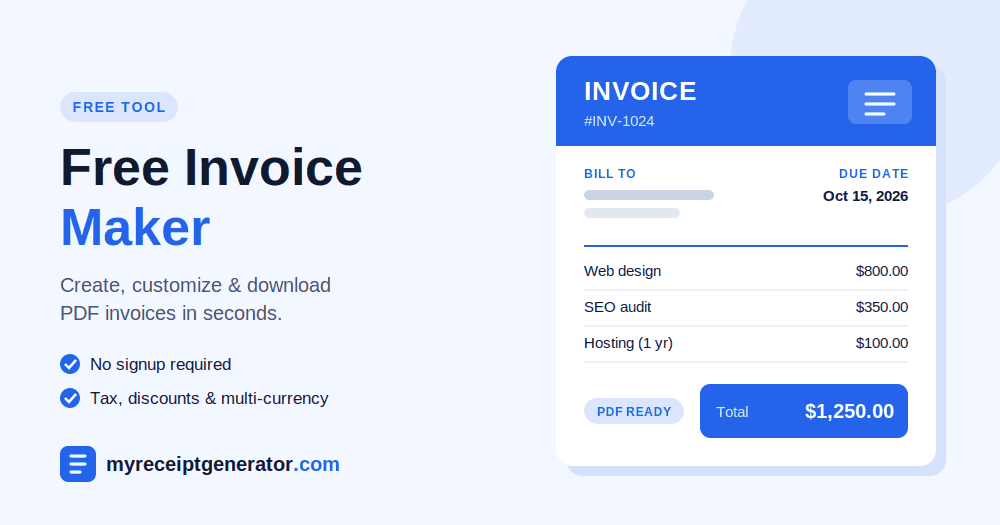
If you need an invoice out the door, these five steps in our free invoice maker take about two minutes.
Step 1: Add Your Business and Client Details
Start with the basics. Enter your company name, address, and contact info, then add your client’s details below. Everything else builds on these fields, so check spellings now rather than after the client points them out.
Step 2: Set the Invoice Number and Dates
Give every invoice its own number, since reusing numbers is the fastest way to confuse your records at tax time. Stuck on a numbering system? Our invoice number generator creates clean, sequential numbers for you. Then add the date you’re sending it and the due date.
Step 3: List What You’re Charging For
Add one line for each product or service, with its quantity and price. If a line needs context, like “Homepage redesign, 2 revision rounds,” use the optional description field. Clear lines mean fewer “what’s this charge?” emails.
Step 4: Apply Discounts and Tax
Add any discount, then set the correct tax rate. The totals update on their own. If you’re unsure of the rate, check it first with our sales tax calculator or VAT/GST calculator.
Step 5: Generate and Download Your PDF
Click Generate, and your invoice PDF downloads right away, ready to email, share, or print.
How to Make an Invoice Using a Free Invoice Maker
Most tutorials stretch this into 7 steps. In practice, the fields fall into 4 natural groups. Here’s the fuller version for when you want every field in the free invoice maker filled in right.
Set Your Identity
Upload your logo, apply your brand colors, and add a cover image if the template supports one. Then fill in your company details: business name, address, and tax ID. This block should match your letterhead so your brand looks the same everywhere a client sees it.
Fill In Who Owes What
Add the client name, client email, and full customer billing information. Assign an invoice number, the invoice date, and a clear due date. Choose your currency before anything else. Switching it later is where totals most often break.
Build Your Line Items
Each row needs a description, a quantity, and a rate. For hourly work, list separate rates per role. For products, group identical quantities on one line.
Apply the tax rate once at the bottom so tax calculates cleanly, then add any discount. Stacking several discounts usually confuses clients more than it rewards them. Service businesses can also turn on tipping, and our tip calculator helps you suggest fair amounts.
Finalize and Send
Set payment terms like Net 15 and list the payment methods you accept. Use the notes section for a short personal message. A one-line thank-you tends to get faster replies.
Check the balance due in preview, then download a free PDF or email it directly. Sending from the tool also lets you schedule recurring invoices for retainer clients, and you keep a clean PDF archive for your books.
Free Invoice Maker vs. Word Processors, Spreadsheets, and Accounting Software
Spreadsheets aren’t really the enemy. Re-typing is. Whether you use Excel, Word, or Apple Pages, word processors and spreadsheets force repeating tasks: copying item details, fixing formulas, and renaming files. After several invoices, errors creep in.
At the other end, accounting software like QuickBooks and FreshBooks is built for large companies and the accountants who serve them. It’s powerful, but it’s complex and costly for someone sending ten bills a month.
A free invoice maker sits between the two. Its invoice templates handle the math and layout, and you can add links or handles for payment apps like PayPal, Venmo, Cash App, or Zelle. The client experience then ends with one tap instead of a bank form.
| Option | Cost | Setup time | Best for |
| Word processors (Word, Apple Pages) | Often already owned | Low, but manual every time | One-off invoices |
| Spreadsheets (Excel) | Often already owned | Medium; formulas to maintain | Users comfortable with formulas |
| Accounting software (QuickBooks, FreshBooks) | Monthly subscription | High | Growing teams with accountants |
| Free invoice generator | Free | None | Freelancers and small businesses |
Invoices Build Your Brand
Clients see your invoices more often than your website. That makes billing the most repeated client interaction you have. A polished invoice from a free invoice maker, with consistent fonts, your colors, and clean totals, leaves a professional impression that reinforces your brand every month.
Keep that consistency going after payment, too. Matching your invoice design with a business receipt template means every document a client gets from you looks like it came from the same company.
Why Old Payment Methods Hurt Your Business
Paper checks are slow to clear and easy to lose. Large cash payments leave no record and are less secure to handle. Manual bank transfers without a matching reference become hard to track at month-end. Each of these payment methods is inconvenient for clients too.
Modern online invoices from a free invoice maker fix this by building card payments into the document itself. Customers get a secure way to pay, and your business gets an automatic paper trail. That trail matters: the IRS lists invoices, receipts, and canceled checks as supporting documents businesses should keep to back up their books.
If a client still insists on paying cash, give them a proper cash receipt so both sides have proof.
When to Use an Invoice
Timing is where people slip. Send a quote or estimate before work begins so price expectations are set. Once services are delivered or products ship, issue the invoice as a formal bill. After you’ve been paid, send a receipt to close the loop.
| Stage | Document | What it does |
| Before work begins | Quote or estimate | Sets the expected price |
| Work delivered or products shipped | Invoice | Requests payment |
| Payment received | Receipt | Confirms the client paid |
For that last step, pick a receipt that fits the sale: a payment receipt for general payments, a service receipt for client work, or an itemized receipt when you want every line listed.
Browse Free Invoice Templates
Pick a template built for your type of work, then fill it in with the free invoice maker.
Looking for receipts instead? See our receipt templates.
Frequently Asked Questions
Is the Free Invoice Maker Really Free?
Yes. Our free invoice maker costs nothing and needs no sign-up. You can create and download PDF invoices as often as you need.
Can I Customize or Save an Invoice Template?
Yes. You can customize any invoice template before downloading it: edit labels, add your logo, change the currency, and reorder line items. To save templates for reuse or schedule recurring invoices, you may need a free account.
Can I Make a PDF Invoice With an Online Invoice Generator?
Yes. Fill in your invoice in the online invoice generator, click the PDF button, and you’ll get a PDF invoice ready to email to your client. Keep a copy for your records.
How Do I Send My Invoice?
You have three options. Email the invoice directly from the tool, download it as a PDF and attach it yourself, or share a link your client can open in any browser. Some clients still prefer a printed copy. To make paying easier, add a scannable code from our QR code generator that points to your payment link.
What’s the Difference Between an Invoice and a Receipt?
It comes down to timing. An invoice asks for payment before it happens. A receipt confirms payment received after the fact. One requests the payment, and the other proves it. Our receipt generator guide covers the receipt side in detail.