Make a tire shop receipt in under a minute. Add your shop details, the tires and services, and tax, then download it as a PDF or PNG. It’s free, and you don’t need an account.
How to Make a Tire Shop Receipt
Making a tire shop receipt takes four steps, and the preview updates as you type.
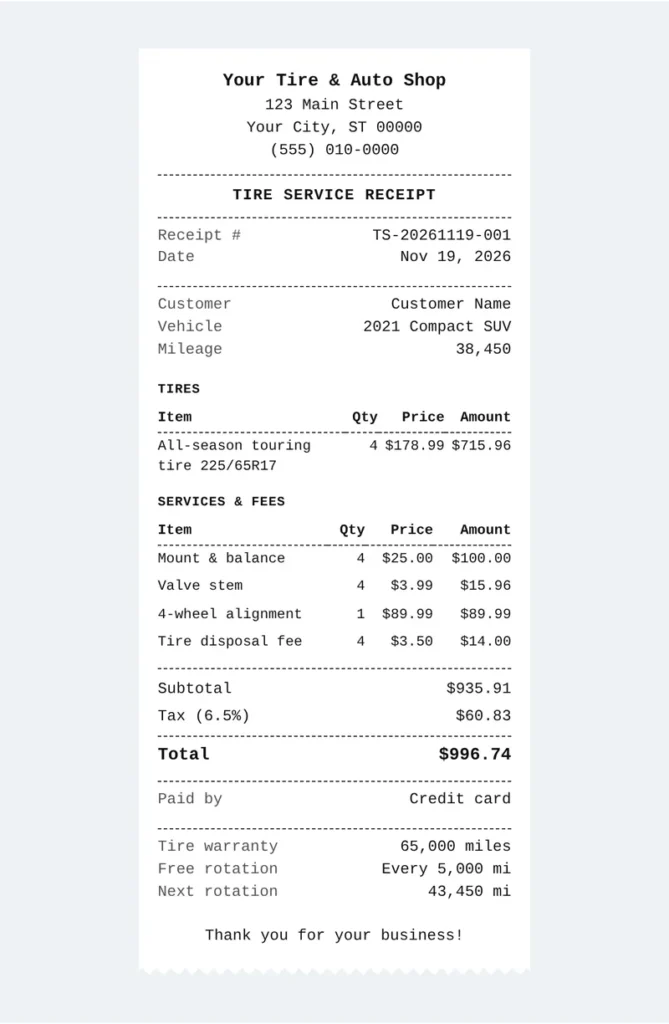
- Pick a style. Choose Thermal, Classic, or Modern. You can switch at any time without losing what you’ve typed.
- Add your shop details. Enter the shop name, address, and phone number, and upload your logo if you have one.
- Enter the job. Fill in the customer, vehicle, and mileage, then list each tire and service with its quantity and price. Click “Add tire” or “Add service” for more lines.
- Set tax and payment, then download. Pick your currency, enter the tax or VAT rate, choose the payment method, and click Download PDF, Download P, NG or Print.
Features
The receipt maker covers what tire shops actually put on a receipt:
- Three receipt styles: Thermal for counter receipt printers, Classic for white paper, and Modern for email and phone.
- Tire and service lines: tires, mount and balance, valve stems, alignment, disposal fees, or anything else you charge for.
- Tax/VAT and discounts: subtotal, tax, and total are worked out for you.
- 9 currencies: USD, EUR, GBP, CAD, AUD, AED, SAR, INR and PKR.
- Payment details: card, cash, bank transfer, or check, with the card’s last four digits.
- Warranty and rotation: add the warranty mileage and rotation interval, and the receipt shows when the next rotation is due.
- Your logo: upload any image up to 1 MB.
- PDF, PNG, or print: download the receipt or print it straight away. The Thermal style prints at 80 mm wide.
- Free, no sign-up: nothing to install and no account to create.
What Goes on a Tire Shop Receipt?
A tire shop receipt is a dated, itemized record of a tire purchase. It shows the shop’s name, the customer’s car, each tire by make and size, every fitting charge (mounting, valve stems, disposal), sales tax, how the bill was paid, and the warranty that came with the tires.
I’ve reviewed a lot of these for auto shop clients, from tire bays to oil change counters. Arguments rarely start over the price of the tires. They start over the labor lines, especially anything billed per wheel.
The sample below is a tire service receipt from a made-up tire and auto center. I like this tire-shop format because tires and service are listed separately, and every line shows a quantity and a unit price. Anyone can check the math in a few seconds.
Here’s the itemized list. I worked out the line amounts from the listed prices:
| Line item | Qty | Unit price | Line amount |
| All-season touring tire 225/65R17 | 4 | $178.99 | $715.96 |
| Mount and balance | 4 | $25 | $100.00 |
| Valve stem | 4 | $3.99 | $15.96 |
| 4-wheel alignment | 1 | $89.99 | $89.99 |
| Tire disposal fee | 4 | $3.50 | $14.00 |
| Subtotal | $935.91 | ||
| Sales tax at a tax rate of 6.5% | $60.83 | ||
| Amount charged | $996.74 |
A few details are worth getting right. Print the tire size next to the brand, because a size like 225/65R17 means little on its own; it should match the size on the car’s door placard. Give alignment and disposal fees their own lines, since customers notice when a recycling charge is buried in a labor price. And if you print on thermal paper, keep a PDF copy too, because thermal receipts fade.
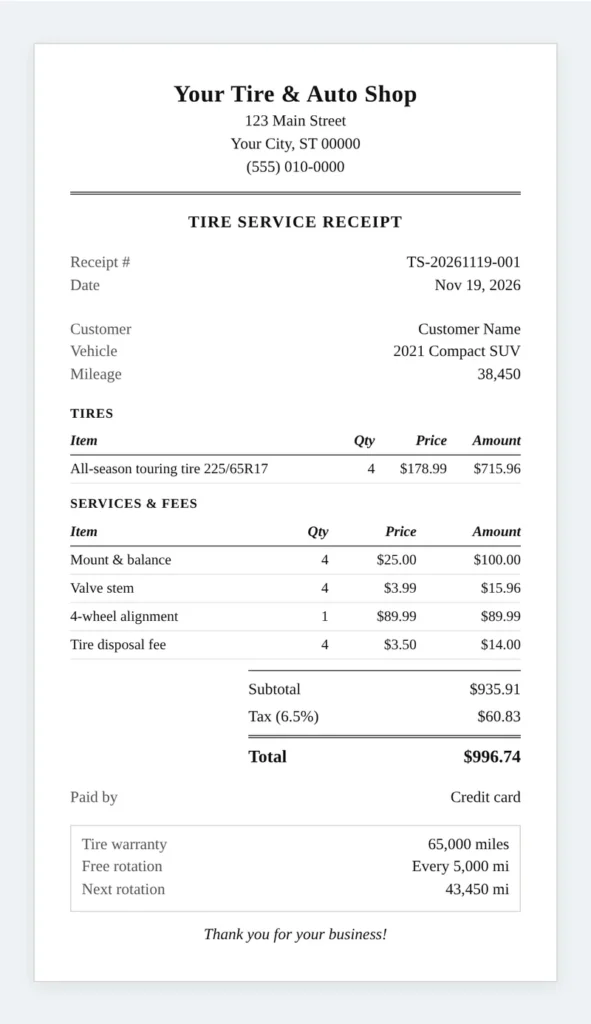
Hold on to this receipt. If a sidewall bubbles eight months from now, it’s your proof of purchase. Shops that honor warranties or take returns usually ask for the tire size and purchase date first, and a receipt that just says “tires + labor, $996.74” makes that harder.
When Would You Need a Tire Shop Receipt?
You need a tire shop receipt whenever something comes up after the sale: a warranty claim, a rotation appointment, selling the car, or claiming the cost as a business expense.
Look at the sample footer. It lists the tire warranty (65,000 miles), a free rotation every 5,000 mi, and the next rotation at 43,450 mi, followed by a thank you line. The 43,450 is just the current mileage plus 5,000. Those few lines become the warranty records the driver will need for years.
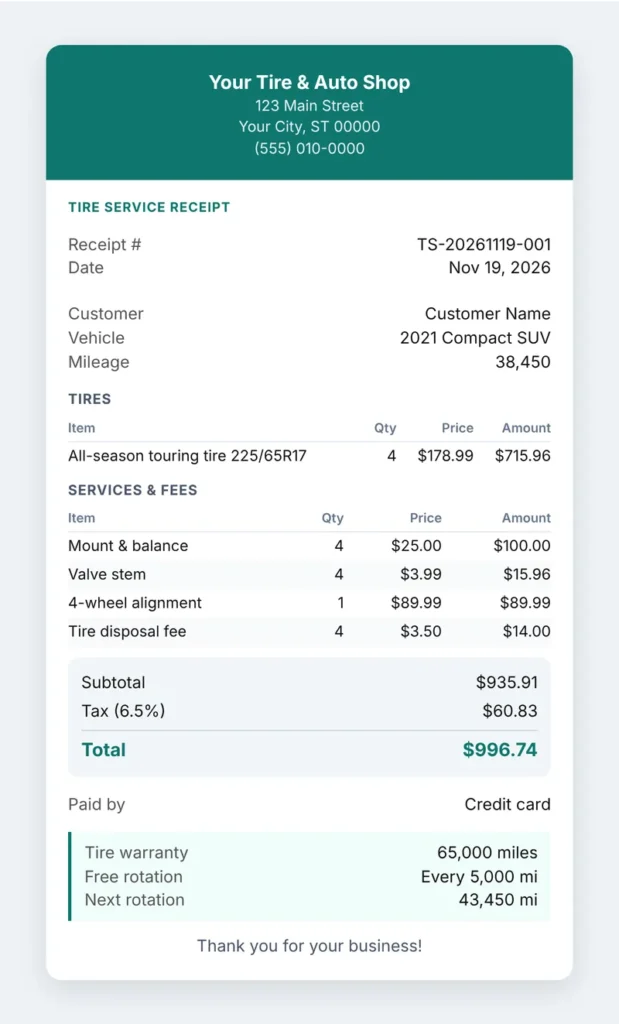
Tire shops and automotive service centers use the same footer for tire warranty registration and customer warranty documentation. Print a copy on white paper for the glovebox, then download your file as a PNG for email service summaries or for quick reference at the front desk.
Don’t skip the payment line. The sample shows payment by credit card ending in 7744, and banks usually ask for exactly that when a customer disputes a charge. From what I’ve seen, tire sales disputes get resolved faster when the receipt looks professional and shows the last four digits instead of just “card”.
If the tires were bought for a company car, the receipt goes into your expense reports for reimbursement. Separate tire and labor lines also make it easier to claim deductions at tax time.
Tire Shop Receipt FAQs
Is This Tire Shop Receipt Generator Free to Use?
Yes, it’s free. You can build, edit, and download a tire shop receipt without signing up or creating an account.
Every feature is free, including all three receipt styles, PDF and PNG downloads, and the tax and totals calculations. Whether you need receipts for bookkeeping, budget tracking, or to monitor spending on tires and fuel across a fleet, you get organized records without paying for anything. New to receipts? The receipt generator guide covers the basics.
Which File Formats Can You Export a Tire Shop Receipt In?
You can download a tire shop receipt as a PDF or a PNG, the two file formats most people need.
A PDF gives you print-ready documents, and a PNG gives you high-quality images that stay sharp on a phone. I’d use PDF for tax filing and expense documentation, and PNG when you’re texting a receipt over for reimbursements or refunds. If you need compressed images with smaller file sizes, any image editor can turn the PNG into a JPEG.
Can I Add My Shop’s Logo?
Yes. Upload any image up to 1 MB in the Shop section, and it appears at the top of the receipt in all three styles.
Can I Change the Currency and Tax Rate?
Yes. You can choose from nine currencies, including USD, GBP, EUR, AED, and PKR, and type in any tax or VAT rate. The totals update straight away.
Can I Make Other Receipts or Invoices?
Yes. For other jobs, use the receipt maker or browse all receipt templates. If a fleet customer needs to be billed on terms, start from one of the invoice templates.