By Iqra Tariq
What Should an Auto Service Receipt Include?
An auto service receipt records one thing: a customer paid for work done on a vehicle. To do that job properly, it needs the shop’s contact details, the customer, the vehicle, every service performed, the parts used, the payment received and any warranty terms.
Style
Shop
Logo, QR code and barcode
Customer and vehicle
Line items
| Description | Type | Qty | Rate |
|---|
Payment
I’ll walk through each field in the order a customer reads it. The same layout works for mechanics, mobile repair crews and tire shops. The shop name goes at the top, and the money goes at the bottom.
Think of the receipt as a bookkeeping document first. Keep labor costs and the cost of parts on separate lines, with the taxes shown on each. Most shops don’t show their markup percentages on parts. You can if you want to be open about pricing, but nobody has to.
A clear receipt also helps with recurring clients. They feel more confident coming back, and they have what they need if they ever file an insurance claim. Each block of the receipt gets its own section below.
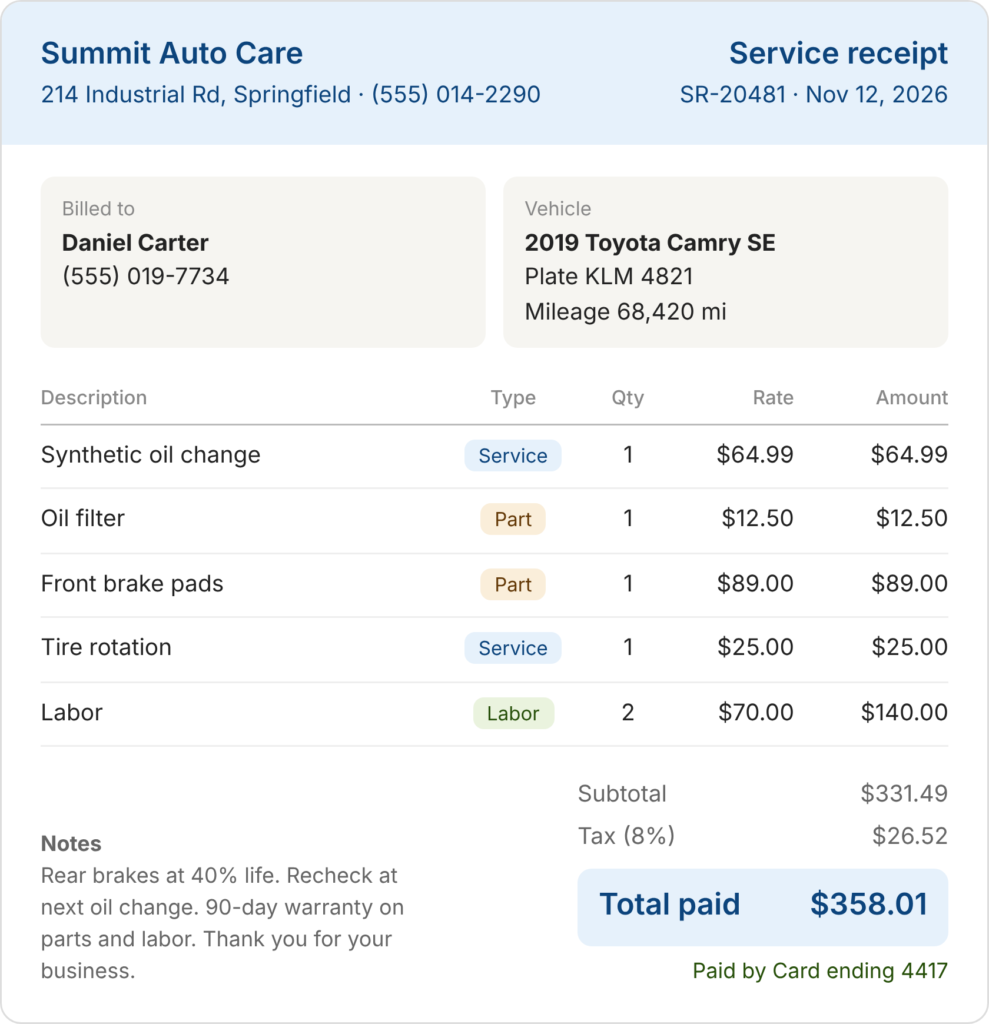
What Shop Details Belong at the Top of the Receipt?
The top of the receipt should say who you are and how to reach you. Put your shop’s contact details first, before anything else.
Customers who can reach the right person quickly rarely need to argue about a job later. A good template keeps this header identical on every receipt. Set your colors and fonts once, and every page looks like it came from the same business.
A neat header with your own mark and contact details looks professional, and it builds trust. If your counter still runs on a receipt book, pre-print the header so nobody has to write it out by hand.
What Customer Details Should You Record?
Record who the work was done for and how to reach them. That keeps each receipt tied to the right person.
Take the phone number the customer actually answers. Questions come up later, and they usually come by call or text. Estimate software can fill these fields in for you.
File receipts by date so you can find any visit fast. Write job notes in plain language, because customers read them without a mechanic standing next to them.
Cut any section your shop never uses. I find a shorter form gets filled in more often, and it reads better on a phone.
Why Does the Receipt Need a Service Date and Reference Number?
Every receipt needs a service date and a reference number, so you can tell when the work happened and which record belongs to it. Both help with accounting and warranty questions later.
The receipt is also a legal record. It’s your record of the job and the customer’s confirmation that they paid.
Never reuse a number. I add a barcode when the counter scans receipts, and a printed sequence makes missing numbers obvious when you produce forms in bulk.
For something like an engine diagnostic, the number ties the findings back to the original visit. Add a due date only when money is still owed. If an insurer is involved, put their case number next to the receipt number so both files match.
Which Vehicle Details Should the Receipt Capture?
A receipt should point to one specific vehicle, because every job belongs to that vehicle’s history. Vehicle details belong on every repair order.
Owners come back months later. Your receipt gives the next service advisor a starting timeline for that vehicle, so they can see what was done and when.
Vehicle details also settle warranty claims fast. A common example is a warranty of 12 months or 12,000 miles. The receipt has to show which vehicle and which visit that promise covers.
Some shops add a QR code that links to the vehicle’s service history or an appointment page. One scan on a phone pulls up the record, no paperwork needed.
How Do You Describe the Work Performed?
Describe each job in plain words and put a price next to it. This is the heart of the receipt, so don’t rush it.
Name the actual work. An oil change beats “maintenance”, and a brake job beats “repairs”. Customers pay for repair services they can picture.
Add the technician’s name if you want accountability on each job. If a part was replaced, give its part number and quantity so the line matches your parts section.
End with a note on what the vehicle will need at its next visit. If your software supports digital approvals, customers can agree to work before repairs start, which saves arguments later.
How Should You Break Down Parts and Supplies?
List parts and supplies line by line, with each cost kept separate from labor. Customers like seeing exactly what they’re paying for, and that transparency protects you too.
Take a brake pad replacement. One line covers the pads, and another covers labor at your hourly price. A full list also lets customers check that they aren’t paying superfluous charges.
If coverage depends on who made the part, write down the part manufacturer and the warranty length on that part. Accurate lines also build a clean vehicle history, so the next advisor can see what was installed.
Finish with a grand total that adds up every line. Customers look at that number first, so it has to match your payment summary exactly.
What Goes in the Payment Summary?
The payment summary shows what the customer owes, what the customer paid, and how the shop reached that number. Put these money fields in one block at the end of the receipt.
A receipt confirms money received, while a demand for payment belongs on an invoice. Keeping that line clear helps the shop avoid disputes later.
State the cost per unit for repeated parts, and add a billing address when a business pays the bill. If an outside party covers part of the cost, name the third-party coverage so the totals reconcile.
Accurate summaries matter during audits. Keep tax documentation complete so any receipt can be matched to a ledger entry.
How Should You Write Warranty Terms on the Receipt?
Warranty terms on a receipt should state how long the shop stands behind the work and what the customer must do to use that protection. Warranty details protect both the shop and the customer if a part fails or a job needs redoing.
Write the terms with clarity, in short sentences, so nobody has to guess later. A warranty tied to mileage needs the reading from the visit, so record it on the receipt.
When a customer returns after repairs, the receipt acts as proof of purchase for the work. That record helps the shop settle disputes quickly, because the terms were written down at the time.
Ask the customer to write initials beside the terms. If your form lacks a spot for them, add sections for warranty and acknowledgment. A follow-up call a few weeks later shows customers the shop stands behind its work.
Should the Receipt Include Insurance Details?
Add insurance details to the receipt whenever the customer plans to send the work to an insurer. A receipt should detail each repair and its cost, plus insurance information if the vehicle is insured. The insurer’s details can appear on it too.
Insurers want records that match the vehicle: make, model, VIN, and license plate number. They also expect an itemized list of repairs with costs, which lets the customer ask the insurer to cover some of them.
Record the payment methods used, since an insurer may ask who paid. Show what is covered by any policy payment separately from what the customer paid. Include claiming instructions if a warranty also applies. Business customers may also need the receipt for expense reports.
How Do You Create an Auto Service Receipt Step by Step?
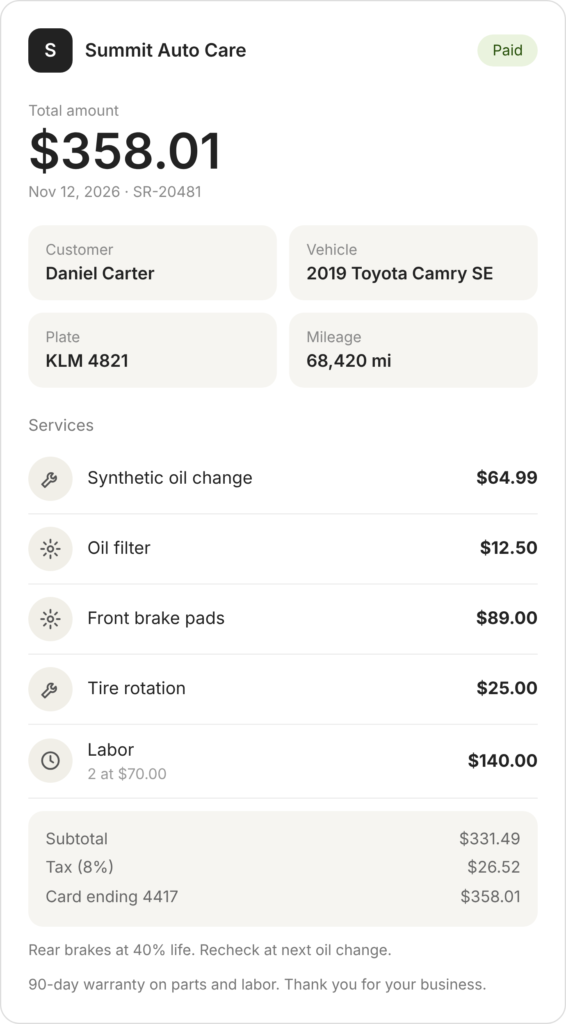
You create an auto service receipt by filling a ready-made form with shop details, vehicle details, line-by-line work, payment, and a signature, then handing it over after the customer pays.
Start with a free template you can open and change. Our receipt generator lets you begin with no sign-up. Then follow this order:
- Add your business logo and shop details.
- Enter the receipt number, date, and time.
- Add the customer’s name and the vehicle details.
- Add the insurance company if one is involved.
- List each service and each part with its price.
- Add financing or payment details if your form has them.
- Use edit fields to adjust anything the job needs, then total the receipt.
- Finish with a signature line and give the receipt to the customer after payment.
I check the total twice on a phone screen before handing it over, since many customers will view the receipt on mobile.
When Do You Need an Auto Service Receipt?
You need an auto service receipt whenever money changes hands for work on a vehicle, from a visit for tire rotations to a major vehicle repair.
Receipts support record-keeping for the shop and the customer. Dated, numbered receipts organize documents for tax reporting, and a clear one adds credibility when a customer shows it to a third party.
A receipt shows the subtotal, the final amount, and whether a balance due remains. A line for cash or another payment type keeps the story straight.
Customers can write off eligible costs when an insurer or employer allows it, as is the case for insured drivers. In my experience, shops that hand over a receipt every time field fewer billing questions.
What Is the Difference Between a Receipt and an Invoice?
A receipt confirms that a customer has already paid, while an invoice asks the customer to pay. An invoice is a request for money issued ahead of or following the work.
| Feature | Receipt | Invoice |
| Purpose | Serves as proof of payment | Requests money still owed |
| Timing | Issued after the customer pays | Issued ahead of or after the work |
| Key fields | Description of services, part name, materials, and credit card or other payment type | Unique invoice number, total amount due, and remaining balance |
Client invoicing usually starts with an invoice and ends with a receipt. In my experience, the two documents work best when they share the same fields, so the numbers never disagree.
How Do I Create a Car Repair Invoice?
Create a car repair invoice by filling a form with the shop’s details, the customer’s details, the work performed, parts, totals, and warranty terms. A comprehensive auto repair invoice starts with the shop’s address and the customer’s details. Next come the date of service and the vehicle’s year, then a description of each job with its cost. Tools that keep saved receipts make budget tracking easier for busy shops.
Which File Formats Work for an Auto Service Receipt?
Auto service receipts work as Word-processor files and as PDF files, and our generator lets you build one for free. Send the finished file to the customer’s email address, or run it through an office printer to print a paper copy. Every export from our generator is a watermark-free export.
Are Receipt Layouts Ready for Paper Copies?
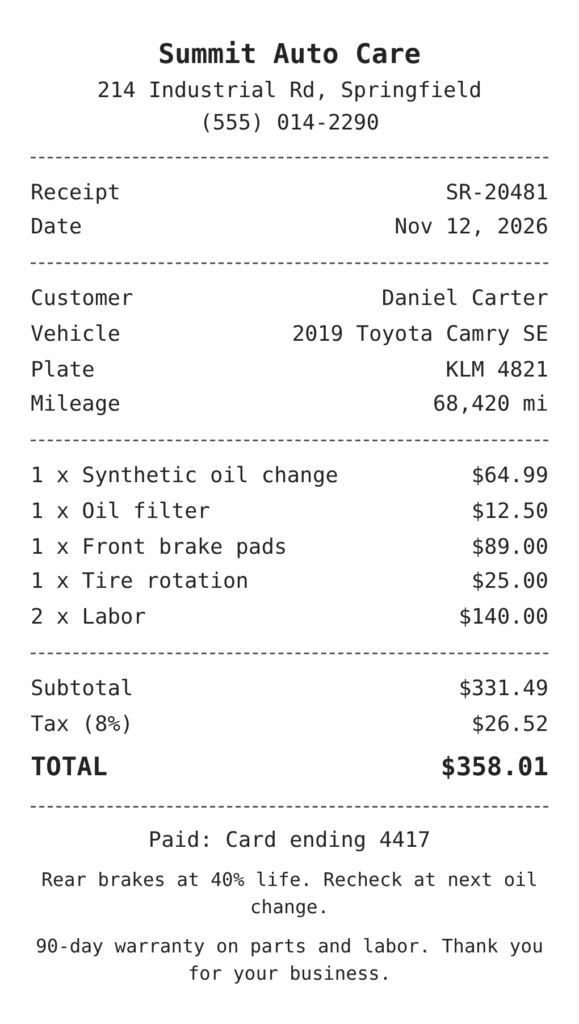
Yes, an auto service receipt form can go on paper from any standard desktop machine in a shop. Ordinary office equipment handles these forms. Our generator also offers thermal paper styling for a service desk feel and white paper for customer copies. Staff can rearrange layout blocks so everything fits one page. A paper copy is written proof that customers keep for reimbursements.
Can I Change a Receipt Layout to Match My Shop?

Yes, you can change an auto service receipt layout to match your shop, because the forms are built to be edited. Receipt forms come as DOCX, DOTX, and ODT files, so any word processor can open them. Our editor has a drag-and-drop builder, so you can shape the page by hand. Add your branding, and include lines for discounts or promo codes where your shop uses them.
Can I Build a Receipt Online at No Cost?
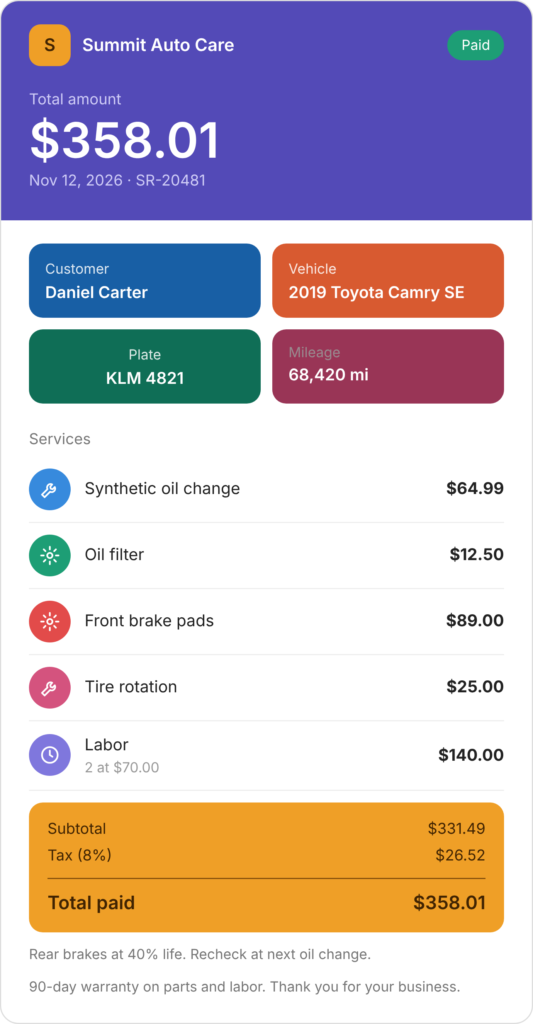
Yes, you can build an auto service receipt on this page at no cost and without creating an account. The website shows a real-time preview as you add each line. When you finish, export the receipt and download it as a PNG or JPEG, or as a printable file.