A fuel receipt can be generated online in 2 minutes with no sign-up: choose a template, type the Fuel Station Details, then download the PDF. What comes out is one of the sample receipts the tool makes for practice, never a replacement for the official invoice that a fuel station issues.
Free Fuel Receipt Maker
Fill in the details, preview live, then download as PDF or PNG.
Receipt details
Live preview
Template for personal record-keeping and sample/demo use. Please do not use it to misrepresent real purchases.
The last click is labelled Preview and Download, and it comes after the form, not before it. The site frames its output for educational and informational purposes and for record-keeping of your own practice runs, which is a narrower job than many first-time visitors expect.
Near the end of the page, Related Fuel Tools lists a Daily Fuel Price Tracker, and a Savings Statistic on Annual Fuel Savings appears further down this guide. I mention them early because they explain why the site feels broader than a single bill maker.
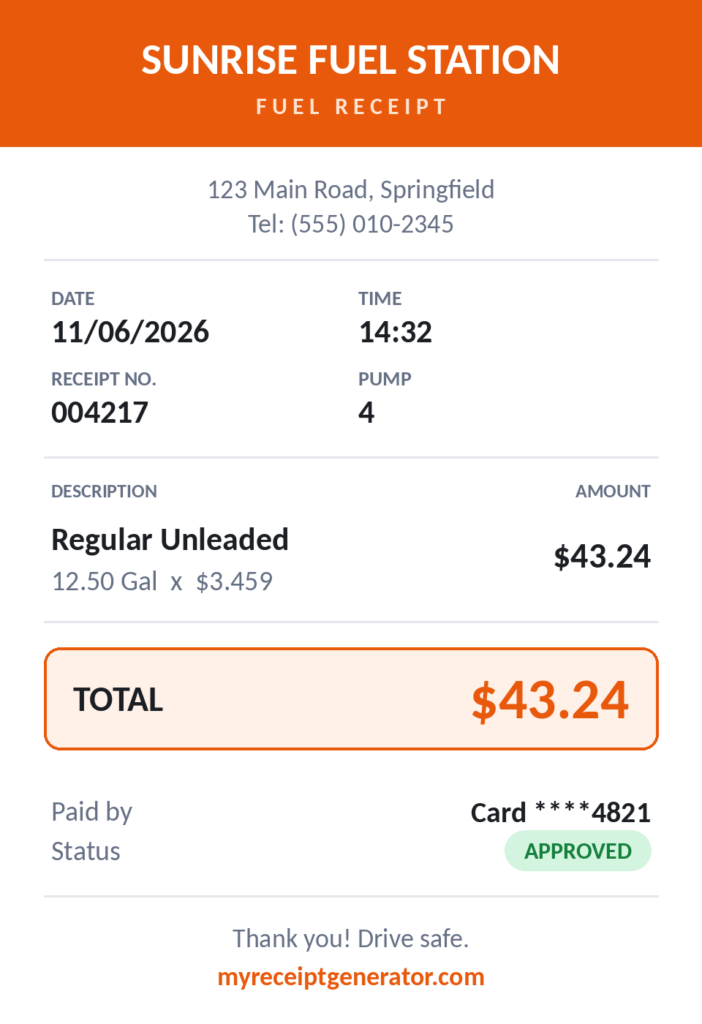
Which Receipt Style and Pump Brand Should You Pick?
Start with Select a Layout, because the layout decides how the whole Petrol & Diesel Bill is arranged, then use Select Your Bill Template to lock the look in.
The station name and address head the page, while the Footer Message closes it. In the Bottom Text, the default reads SAVE FUEL YAANI SAVE MONEY, followed by THANKS FOR FUELLING WITH US.
Brand marks here are placeholders, not endorsements. An Important Notice on the page says the project is not affiliated with any of the brand names shown, and every fuel company keeps its own marks. That is why the generator ships generic demo logo placeholders and a pump logo picker. Whatever you choose, you still key in the station and fuel details yourself.
What Details Can You Put on a Fuel Bill, and in What Order?
A fuel bill can hold station, fuel, customer, and payment fields, and the form takes them in a fixed order while a Live preview redraws the page after every edit.
The Sample fuel bill templates differ in paper rather than content. Template 1 uses Plain paper, Template 2 goes for a printed paper look, and Template 3 and Template 4 complete the set. Template 4 appears on only one of the two source pages, so check which version you land on.
This is the order I follow each time:
- Fill in the Details for the bill basics.
- Enter Fuel Station Details: the pump’s name and location.
- Add Fuel & Vehicle Details.
- Fill in the Prices, then let the automated formula work out the rest.
- Select Payment Mode from the list.
At each step, the preview shows the page as it will print, so the tool never leaves you guessing. The chosen payment method prints on its own line, and the list covers several payment methods.
What Are the Steps to Make a Fuel Bill PDF?
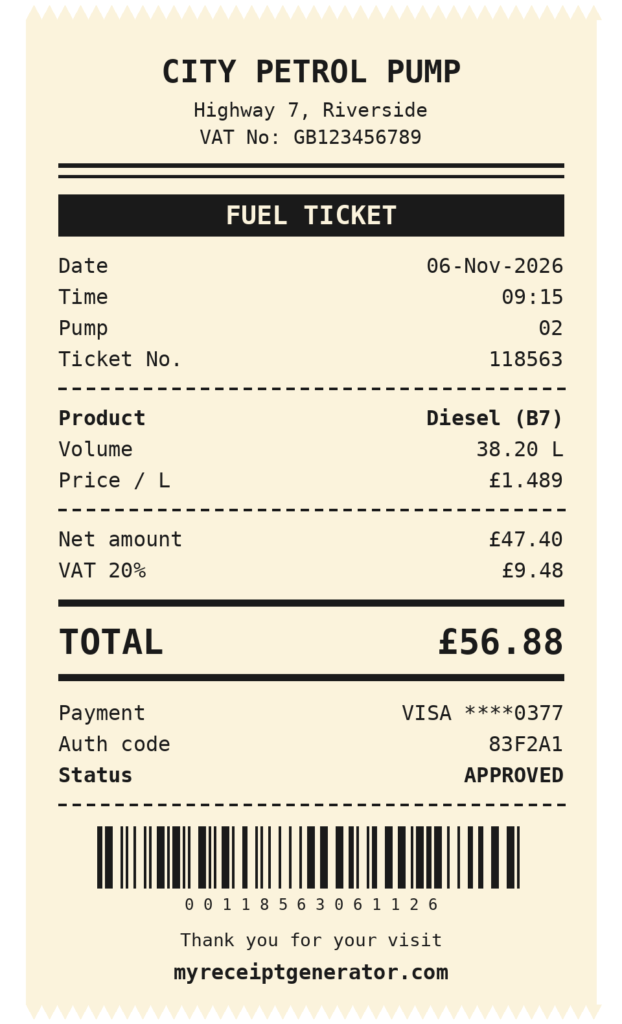
Making a fuel bill PDF means filling a few fields, choosing how the pump “dispensed” the fuel, and exporting the page, and the whole flow is instant.
The dispensing block has a Preset Type, either Local Volume or Amount, and a Preset Value to match. The printed Litres line then follows from those entries.
Timing lines appear as Tx Start and Tx End, which make a pump slip look complete when it is only practice. One source offers Electric fuel beside petrol, diesel and CNG, while the other lists only petrol and diesel.
The classic blue-bordered layout is one of the available looks. Whichever you pick, the free demo petrol bill PDF remains a mock.
Is Your Fuel Bill Data Kept Private?
Fuel bill data stays on the device that typed it, with receipts generated instantly in the browser and not stored on a server.
The Customer Details block asks for a name, a mobile number, and a complete address, none of which has to be real for practice. So the security question is mostly about habit: treat any information you type as sample data.
The site promises complete privacy for Receipts made on the page. My own habit is still to avoid typing a live phone number into any online form.
Are These Fuel Bills Valid Official Receipts?
No, a bill from this generator is a mock, not an official receipt, and it never substitutes for the real fuel station invoice.
The pump itself issues the official receipt. A copy made here is not compliant with anything, however convincing the layout looks.
The Privacy terms and the documentation rules are separate matters. Keeping a mock for practice is harmless, while submitting it anywhere is where the trouble starts.
Which Checks Should You Run Before Downloading?
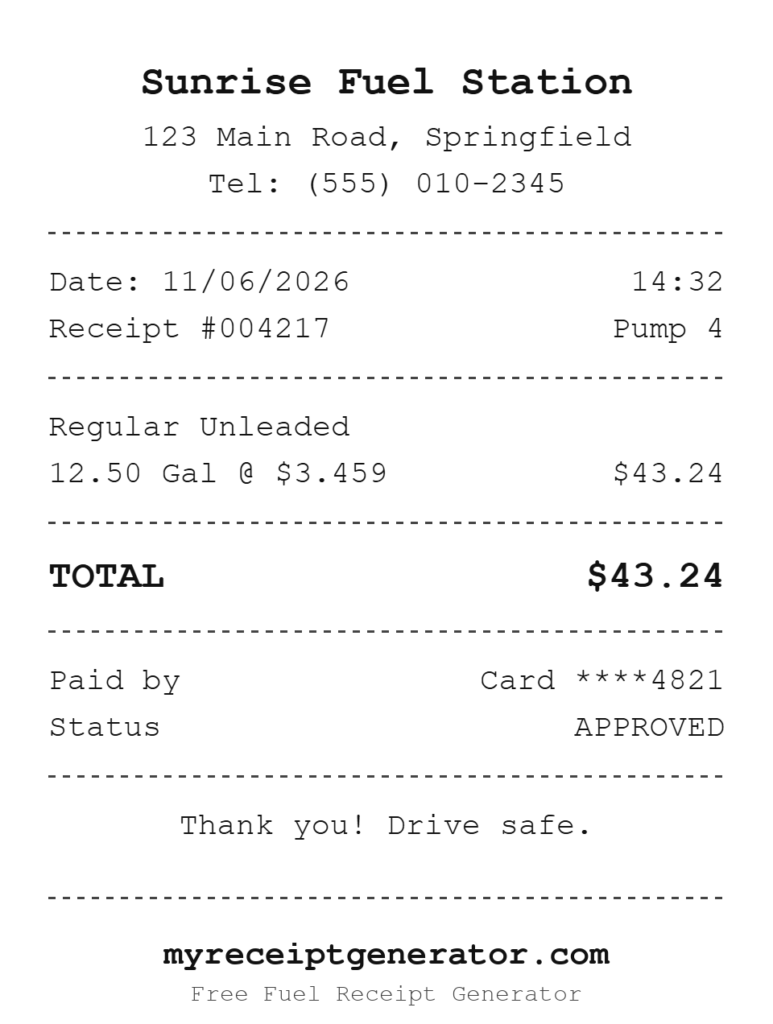
The generator lists four checkpoints before download, and a sensible way to cover them is to compare every field against what you meant to type.
Check the numbers first. The total amount divided by the rate per litre should give the total litres on the slip, and the litre amount must not contradict the fuel rate. If you log a journey, the trip litres need to add up too.
Then read the identifiers: nozzle number, vehicle number, driver name, and transaction ID, with the payment mode matching them.
Finally, the clock. Bill Date, Bill Time, and the timestamps inside Bill Details should agree with the time of the purchase, and the diesel or petrol shown must match the grade you meant. If you plan to print, the receipts are built for 80mm thermal printers.
Who Uses a Fuel Bill Generator?
Corporate Employees, Business Owners, and individual car owners are the typical audience of a Fuel Bill Generator, each with a different Use Case.
The page’s Who Uses block groups salaried people first. Employees and working professionals rehearse HR submissions or finance team submissions, while a commuter may keep Personal Use logs for personal drafting or personal tracking and documentation.
On the operations side, Sales teams and field staff travel most, Last-mile delivery crews run the shortest hops, and Fleet Managers oversee transport fleets at Transport and logistics companies.
Tracking fuel spend per vehicle and drafting a fuel log report layout is typical of that last group. A CA is who you ask for tax advice, not this page.
How Do Different Use Cases Change the Bill?
The use case changes which fields carry weight: Salaried individuals rehearse salaried expense documentation and HRA claims, while fleets care about vehicles and routes.
For car reimbursement claims, the relevant pieces are fuel receipts with a clear trip and GST field compliance. Fuel reimbursement receipts are practised in the same layout. All of this is rehearsal, and audit submissions still need real pump bills.
Delivery Companies and transport businesses use the page like a diesel invoice generator. They draft monthly fleet fuel reports and per-route fuel costs across multiple vehicles, as practice for fleet management. Larger fleet businesses do the same at scale.
In terms of format, Thermal POS and POS style slips are common at pumps. Pump POS receipts come in 80mm and narrower widths, and standardised fuel receipt templates keep a practice batch consistent.
What Related Fuel Tools Exist?
Beyond the receipt maker, the site presents itself as an everyday fuel toolkit, a set of calculators covering averages, trip costs, tolls and vehicle choice.
The planning tools are the Fuel Calculator, the fuel cost calculator, and the Trip Planner, which estimate Petrol Required for a route. AC-on estimates are listed with the consumption calculator.
Mileage Per Litre and mileage are only as good as the fills you log, and cost per kilometre is the same idea expressed as money. Fuel is only one running cost, so you can also practice vehicle upkeep records with a sample oil change receipt, covering oil, filter, labor and mileage.
How Much Can Fuel Credit Cards Save Each Year?
Fuel credit cards are quoted on the site as saving 8,000–14,400 a year, based on April 2026 rates from the issuing bank.
| Card | Figure quoted |
| Card A | 7.25% |
| Card B | 8.5% |
The page also cites a 1% surcharge waiver. Those figures are quotes, not guarantees.
Whether they matter depends on your total spend. Monthly petrol and diesel costs multiplied by twelve give your yearly spend, and rewards are only a share of it. Trimming petrol costs through better fuel efficiency often counts more, and only real expenses belong in the sum.
Put the number in cost context: a card has to break even against any fee or change in spending before the percentage means anything. Nothing here is investment advice, financial advice,e or financial planning, so ask a registered investment adviser before shaping your Investments around a card.
Is a Generated Fuel Receipt a Fuel Station Invoice?
No: a receipt generator produces mock receipts, never an invoice from the pump.
Each Fuel Bill Template and its receipt layout are demo templates exported as PDFs. A receipt number can be typed, and a GSTIN (the Goods and Services Tax Identification Number) can be filled in, yet neither makes the page official.
Can I Use These Receipts for GST Filing or Reimbursement?
No: receipts from this site are not valid for GST filing or fuel expense reimbursement.
Treat them as educational use only. A GST-compliant bill must come from the pump, with a real date, contact details, ls and digital payment records. This is not legal advice, so check the applicable laws.
Are These Receipts GST-Compliant?
No: they carry zero legal validity, even though GST Formats and GST fields can be shown.
The download button produces so-called GST-compliant fuel invoice PDFs only in appearance. Nothing about regulatory compliance changes, so GST filing needs the pump’s own bill. Phrases such as GST-ready fuel bills and GST-ready documentation describe formatting, not tax regulations being satisfied.
Can I Use These Receipts for Tax Filing?
No: petrol bill PDFs from this generator cannot support tax submissions, because they have no official standing.
The steps copy mentions Use for Reimbursement Documentation and corporate expense claims, which contradicts the FAQs and disclaimer, so disregard it. The same goes for local office reimbursement claims.
A printed paper copy changes nothing, and submitting one is a risk. Before any tax decisions, consult a Chartered Accountant (CA), a tax consultant, or another qualified professional. Accountants do a CA review of real bills, and professional guidance beats guesswork.
Is This Petrol Bill Generator Useful for Employee Travel Allowance Claims?
Only as practice: a bill from the generator has no official validity for travel allowance claims.
HR teams look for real bills. Company policies on transport allowance and transport allowance documentation do not accept mocks, and misuse can cause serious trouble.
Salary-season tasks include HRA proofs, rent receipts from the Rent Receipt Generator, the Form 12BB Generator,r and an investment + travel declaration before ITR filing. For a real tax filing, update your records from genuine documents.
Does This Tool Work for Offices?
Yes, for practice: the petrol bill generator accepts any station name and address, so offices can use it.
Whatever the city, the vehicle details and payment lines (Card, Credit/Debit Card or Digital Wallet) are typed, not verified. Reimbursement against a real pump bill stands apart.
Can I Make Receipts for Petrol, Diesel and CNG?
Yes: the Type of Fuel field covers petrol and diesel on both source pages, and CNG or electric on one of them.
Vehicle Type offers Car, Bike, Truck, Bus, Auto Rickshaw, and Other. Use them for practice purposes.
Can I Use This Tool as a Diesel Invoice Generator for Transport Companies?
Yes, for practice runs: the generator can draft diesel receipts for fleets, but they remain mock bills.
Enter vehicle numbers and driver details for different vehicles, and add city-specific fuel station details where the depot sits. Even CNG vehicles can be logged.
Practising fleet expense documentation this way helps compare route-wise average fuel usage, monthly fuel expense records, and monthly running costs, which all feed delivery margins.
How Do I Generate Fuel Bills for Fleet Expense Documentation?
Make one bill per fill: enter the fleet’s vehicle info, the pump name and the fuel, then download each PDF.
The standard petrol pump format has fields for Bay No. and Pump Number, which are the same slot (the steps page calls it the bay number), plus the pump and an optional Attendant.
Producing bulk receipts for depots is fine as a drill. Print them on 80mm thermal paper if you like, but they are not official fuel pump receipts, so never use them for official claims or official use.
How Are the Total Liters Calculated?
Total litres are worked out automatically from the rate of the fuel and the total amount you enter.
This auto calculation, listed as Automatic Calculations, saves retyping. The fuel quantity and volume update when you change a price, and edits work as corrections.
For a vehicle trip, the Fuel Consumption & Trip Cost Calculator is the better route to fuel consumption per vehicle. The bill itself is not valid for anything official.
Can I Include the Payment Method or Tax Reference Number?
Yes: the mode of payment and an optional tax field can both be printed.
Debit Card, electronic payment modes, and transaction IDs all appear. Card names such as the co-brand mentioned elsewhere change nothing on the slip.
None of these fields gives GST compliance or unlock GST input credit, because official documentation is the pump’s. Transport companies run practice with them, which is practice documentation only.
Can I Add GSTIN and Pump Registration Details to My Bill?
Yes: the Tax Identifier field takes a GSTIN, and GSTIN, CST TIN, or TXN NO can be chosen instead.
The receipts support Cash, Card, Mobile Pay (Apple Pay or Google Pay), and Digital Wallet payments, and the tool prints whichever you pick.
Use these to simulate GST fields for record-keeping, never for tax purposes or travel allowance reimbursement. For those, ask Chartered Accountants.
What Payment Modes Are Supported in the Fuel Receipts?
The Payment Detail line shows Mobile Pay, Cash, or online payment references.
The Currency menu lists USD ($), AUD (A$), EURO (€), and POUND (£).
A reference number appears with electronic payments. The page is formatted for single bills, and fleet documentation simply repeats the process.
Can I Customize the Logo and Station Details on My Fuel Bill?
Yes, the customization covers the logo choice and every station field, though the logos are placeholders.
Options include several logos. All are trademarks of their owners, which is why generic placeholder logos exist.
Technical Details such as FIP number, local ID, and fuel density can be edited, as can pump details and the fuel pump name. Demo diesel invoice templates exist for educational purposes.
Can I Download a Free Petrol Bill PDF With a Pump Logo?
Yes: the page offers a free demo PDF with a placeholder logo, or No Logo at all.
Several choices are available for the petrol pump brand logo. Each is the property of its respective owner.
Export a print-ready file in PDF format, or save as an image. Multiple demo bills can be made from the demo petrol receipt templates.
Can I Make Corrections Before Downloading?
Yes: any field can be edited, and the live preview changes with it, so a typing mistake is fixed before the PDF exists.
Station Information, required fields,s and pump registration details are all customizable. The Time Saver is that edits show instantly on Mobile & desktop.
Even odometer readings can be changed, and professional-looking mock templates that suit standard thermal receipt printers are fine for transport drills. To print, finalize first.
Can I Print Fuel Receipts on 80mm Thermal Printers?
Yes: receipts from the Free Fuel Bill Generator print on 80mm thermal printers.
Paper Printing by POS offers 80mm or 57mm thermal paper in a thermal receipt style. The classic bordered layout is an ordinary bordered layout meant for plain paper.
Use it for format testing, practice workflows,ws and practice fleet documentation workflows. Make final changes before printing.
Is My Data Secure?
Yes: data is saved only on this device in browser storage and never uploaded.
Auto-Save Active keeps details remembered on this device, and entries stay in your browser. Auto-saved drafts survive a refresh, and the page calls itself 100% private and completely private.
The site disclaims all liability for misuse of what you make. On a shared computer, clear your browser data when you finish.