A grocery receipt proves what you bought, when, and for how much. This free grocery receipt maker lets you add items, tax, and loyalty points, then download a printable PDF or PNG in a minute.
I have seen one itemized receipt settle an argument three weeks after the shopping trip. A clear one, with a register number and cashier name, ends most disputes fast.
Use this tool for training, demos, templates, and records of real sales only. Never make a receipt meant to pass as a real purchase.
What a Grocery Receipt Includes
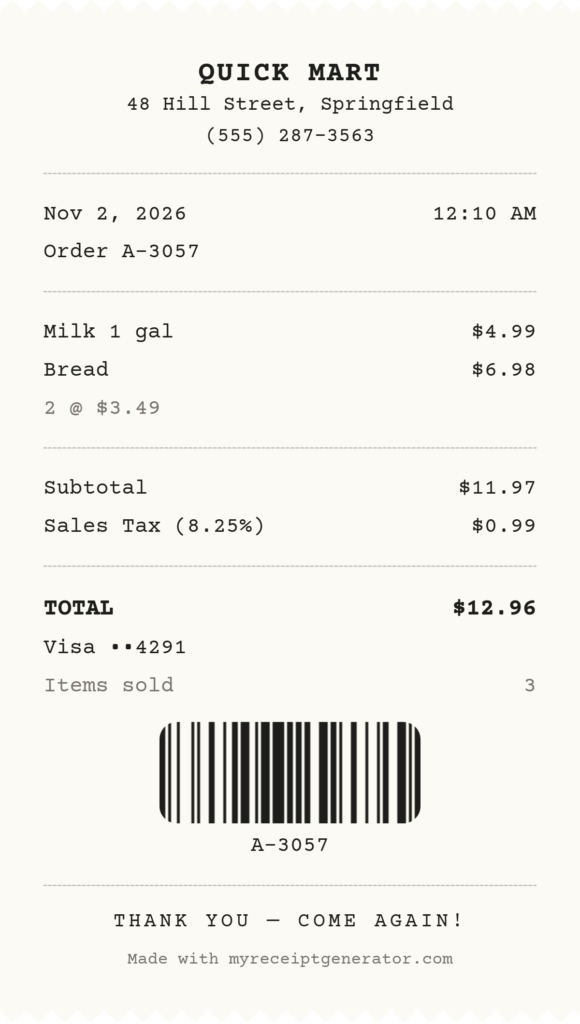
Start at the top and work down. Each block has a job, and a good receipt answers what, when, where, and how much.
Every receipt needs the store name, branch, and store number. Add the street address, city, and phone number so anyone can trace the sale. A logo helps only if the shop really uses one.
Add the date, time, and a transaction ID. Returns desks rely on them. Finish that block with the cashier name and register number.
Each item line needs a description, quantity, unit price, and line total. When the quantity is above one, show it as quantity × price. Price loose goods by weight.
Larger chains also print a SKU or item code beside each product.
Grocers sort items by section, like produce, deli, meat, dairy, and household goods. Some staples are zero-rated or tax-exempt, so each tax label must match the item.
Then come the extras:
- Coupons, vouchers, member prices, and multibuys each get their own line.
- Bottle deposits and bag fees appear as separate lines where they apply.
- Loyalty points earned, redeemed, and the remaining balance sit near the bottom.
- The total must match every line above it.
- The payment line shows the method and only the last four card digits.
- A short footer, like “Thank you for shopping with us,” closes the page.
How to Make a Grocery Receipt (7 Steps)
The editor is a live form, so the preview updates as you type. I tried it on a phone and a laptop, and both worked fine.
- Enter the store details. Add the store name, address, phone, and store number.
- Add your items. Enter a description, price, and quantity for each line.
- Type weighed goods the way a register prints them. For example: Tomatoes 0.65kg @ 2.40/kg. [verify the 20-character description limit]
- Set the tax. Pick a tax label and enter the percent. The tool calculates the totals.
- Add the finishing details. Include the register number, cashier name, and any loyalty points.
- Choose a style. Then check every line twice.
- Download or print. Export as PNG, JPEG, or PDF. [confirm which formats are free vs PRO]
I like thermal styling in a narrow format. It reads like a real supermarket slip instead of a generic invoice.
Some tools ask you to accept terms before downloading, so read them first.
How Totals, Tax, and Change Work
Say a basket subtotal is $20.00 and tax is 8%. Tax comes to $1.60, so the total is $21.60.
Change due equals the cash tendered minus the total. If the customer hands over $25.00, change due is $3.40.
Tax rules vary by country and product. Zero-rated food carries no tax, while taxable household goods carry the full rate. Give each type its own label.
Tax should be calculated on taxable items only, never the full basket. Check this first if the total looks off.
Extras like discounts or service charges change the total too, so each gets its own row. If a quantity × price line is wrong, the whole receipt drifts.
Sample Grocery Receipt Layout
Picture a basket of three items: Roma tomatoes, milk, and chicken breast. A centered header carries the store name, street, city, and phone, with a divider below.
The date and time sit above the list, and the item count reads three. The money block follows in a fixed order: subtotal, tax, total.
Next comes the payment line, for example, Debit •••• 8317, Approved. Tender and change due appear only for cash payments.
At the bottom, add a thank-you line, the register number, and a customer-copy footer.
The mistakes I see most often:
- A subtotal that does not match the item lines
- Wrong date or time
- Missing store details under the divider
- A tax marker with no explanation
Customization and Design Options
Start with width. I keep it at 300px for a narrow thermal look that fits mobile screens without zooming.
Center the header and left-align item lines. Pick a font color and paper color with enough contrast, then add a light texture for realism.
A few controls worth knowing [verify all counts]:
- Five fonts, with a size set per section
- Drag-to-reorder blocks, so you never retype
- Six divider styles for breaking up long lists
- Five currency symbol placements
Currency placement matters. A symbol in the wrong spot makes a UK shopper doubt the whole receipt, so match your region.
Before exporting, switch between phone and desktop preview and check that no blocks overlap. If something breaks, undo your last change first.
Supermarket Receipts, Loyalty Points, and Coupons
Loyalty schemes change what a receipt shows. You often see the program name, points earned, points redeemed, and the remaining balance.
Member pricing causes the most confusion. Shelf prices rarely add up to the register total because discounts apply at checkout. Show both lines so the bill stays honest.
Give each coupon or voucher its own line. Voucher rules vary by region, so check whether the value comes off before or after tax.
A clean receipt answers three questions fast: what was bought, what was saved, and what is left.
Why Grocery Receipts Fade So Fast
Thermal paper is the culprit. Heat and sunlight fade the ink, so a receipt can go blank within months, especially in a back pocket.
Groceries make it worse. Purchases are small and frequent, and nobody files a receipt for milk. Often only a faint shop name survives.
That hurts at return time. A card statement shows a total, not what you bought, so item detail disappears.
Fix it early. Photograph the slip the same day, store a copy, and note the printed total.
Grocery Receipts and Business Expenses
Whether you can claim a grocery receipt depends on your country and business type. Caterers, offices buying client refreshments, and care workers buying client essentials are common legitimate cases.
Reviewers look for itemization. A card statement shows only a total, while a receipt listing each product, date, and store supports the claim.
If a basket mixes business and personal items, split it. Mark the business lines in pen and scan the page the same day.
I am not an accountant, so confirm the rules with a qualified adviser. No itemized receipt, no confident claim.
Related Grocery Receipt Templates
Related templates differ in small ways. The Grocery Market Receipt keeps things simple, while Grocery Store Template 2 adds more rows. Compare samples before you choose, not after you export.
Tax handling varies by layout. One has no tax line, another puts it under the subtotal, and a third prints the phone number at the top.
Watch description limits. Names cut at 20 characters can hide the difference between similar products, so shorten them yourself. [verify]
Download, Export, and Pricing
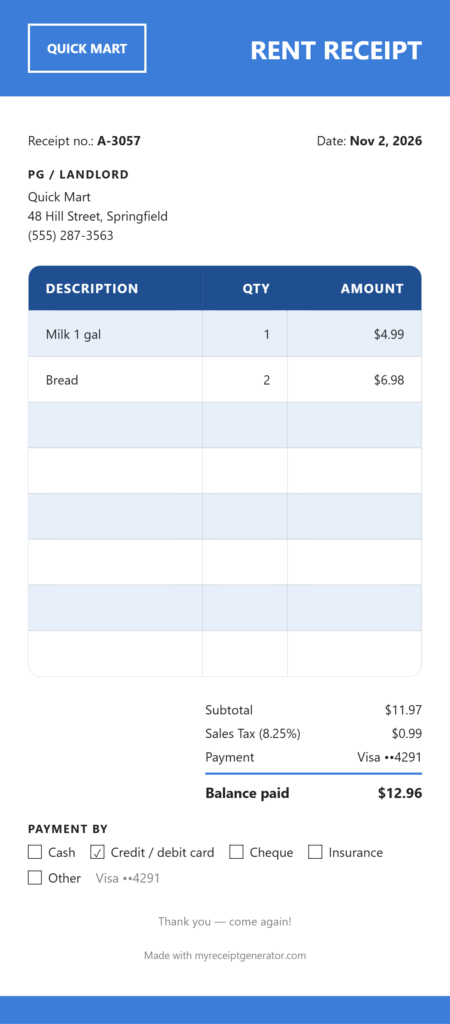
Without an account, you can export a PNG or JPEG, save it, and print it. The free version may add a watermark, which looks odd on paperwork.
A PRO plan removes the watermark and unlocks the PRO template. Pricing changes, so check the current limits before you choose.
The JPG and PDF come from the same layout. Use the Saved receipts panel to reopen drafts, and email the PDF to yourself before closing the tab.
Frequently Asked Questions
What Should a Grocery Receipt Include?
A grocery receipt should include the store name, address, date, time, cashier, and register number, plus itemized lines with quantity and price. Add subtotal, tax, total, the payment method with the last four card digits, and a footer.
How Do I Make a Grocery Receipt Online?
Enter the store details, add each item with price and quantity, set the tax rate, and add the register number and cashier. Pick a style, check every line, then download as PNG, JPEG, or PDF.
Can I Enter Items Sold by Weight?
Yes. Type the line the way a till prints it, such as Tomatoes 0.65kg @ 2.40/kg, and the amount column calculates the price. At 2.40/kg, 0.65 kg comes to 1.56 after rounding.
Does It Handle Tax-Free and Taxable Items on the Same Receipt?
Yes. Give each line its own tax label, such as 0% for bread and the standard rate for shampoo. Tax is calculated on taxable items only, never the full basket.
How Do Loyalty Points and Coupons Appear on a Receipt?
Each coupon, voucher, or member discount gets its own line. Loyalty points earned and redeemed appear near the bottom, followed by the remaining balance, so every figure ties back to the basket.
How Is Change Calculated on a Cash Receipt?
Change due equals the cash tendered minus the total. For example, if the total is $21.60 and the customer hands over $25.00, change due is $3.40. Tender and change appear only on cash sales.
Can I Recreate a Faded Grocery Receipt?
You can rebuild one for your own records, but never present it as the original. Match the date and total to your card statement, label it a reconstruction, and ask the store for a duplicate.
How Long Should I Keep Grocery Receipts?
It depends on why you keep them. Personal receipts matter until the return or warranty window closes. Business receipts often must be kept for several years, so check your local tax authority’s rules.
Is a Card Statement Enough as Proof of Purchase?
Usually not. A card statement shows the date, store, and total, but not the items. For returns, warranties, or expense claims, an itemized receipt is stronger proof, so photograph the slip the same day.
Can I Claim a Grocery Receipt as a Business Expense?
Sometimes. Caterers and offices buying client refreshments may qualify, but family groceries will not. Rules depend on your country, so confirm with a qualified accountant and keep itemized receipts. Split mixed baskets.
What Is the Difference Between a Receipt and an Invoice?
A receipt confirms payment already made, while an invoice requests payment due. Grocery stores issue receipts at checkout. Invoices appear in business-to-business sales, such as a wholesaler billing a restaurant for supplies.
Can a Small Grocery Shop Use It to Issue Receipts?
Yes, for simple needs like farm shops and market stalls. Check local rules first, since some regions require an approved register system. It does not replace bookkeeping, so keep daily sales totals separately.
Can I Add a Barcode? [verify tool support]
Yes. Place a barcode or QR code at the bottom, print it at least two centimeters wide with a quiet margin, and test that it scans. Never link it to a real store’s system.
Can I Edit a Receipt After Downloading? [verify]
Not the exported file. Reopen the draft from the Saved receipts panel, change the details, and export again. Drafts live only on your device, so clearing browser data deletes them.
Is My Data Stored Anywhere?
Receipts are generated in your browser. Nothing is uploaded, and drafts save only on your device. Clearing browser data deletes them, so export anything important right away. Never type real card numbers or private addresses.
Make Your Grocery Receipt Now
Use the form above, check each line, and download your grocery receipt in under a minute. Use it for demos, templates, and records of real sales only.